
DEBCOR Product · Built on SAP BTP
Template Project Copy for SAP Cloud ALM.
Build one best-practice SAP Cloud ALM project — and roll it out across every tenant, in a single controlled run. Timeboxes, teams, deliverables, tasks, subtasks, and solution-process scopes, copied between tenants with a dry-run preview before any change is made.
Why it exists
Standardize how your teams run SAP Cloud ALM.
Build a best-practice project once. Roll it out into any number of SAP Cloud ALM tenants, replicating the full project structure in a single, controlled run with a preview before anything changes.
Existing target projects are updated in place, so your standard methodology stays consistent across customers and landscapes without manual rebuilding.
Key capabilities
- One-run copy of the full project structure
- Timeboxes (milestone dates), teams, and deliverables
- Tasks and subtasks, with parent/child relationships preserved
- Solution-process scopes and process assignments
- Dry-run preview before any change is made
- Create new projects or update existing ones to keep targets in sync
- Secure OAuth 2.0 authentication per tenant
- Clear result log: created, updated, skipped, blocked, failed
How it works
Three steps. One controlled run.
From tenant connection to a verified result log — the whole flow is built around confirming exactly what will change before it changes.
01
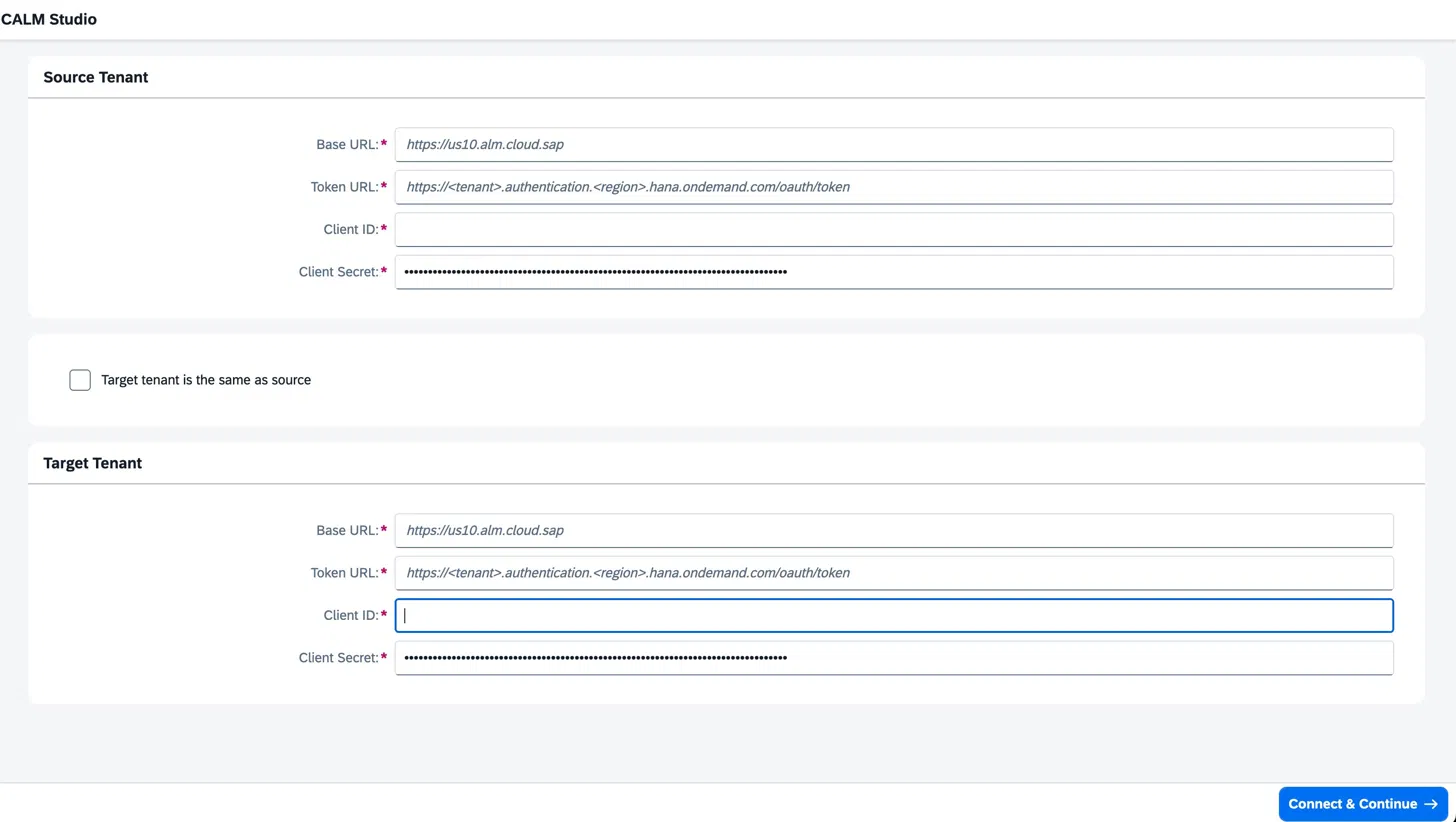
Connect your tenants
OAuth 2.0, per tenant.
Enter the Base URL, Token URL, and OAuth client ID/secret for the source and target tenants — or copy within a single tenant by ticking the 'same as source' option. Credentials never leave the runtime.
02
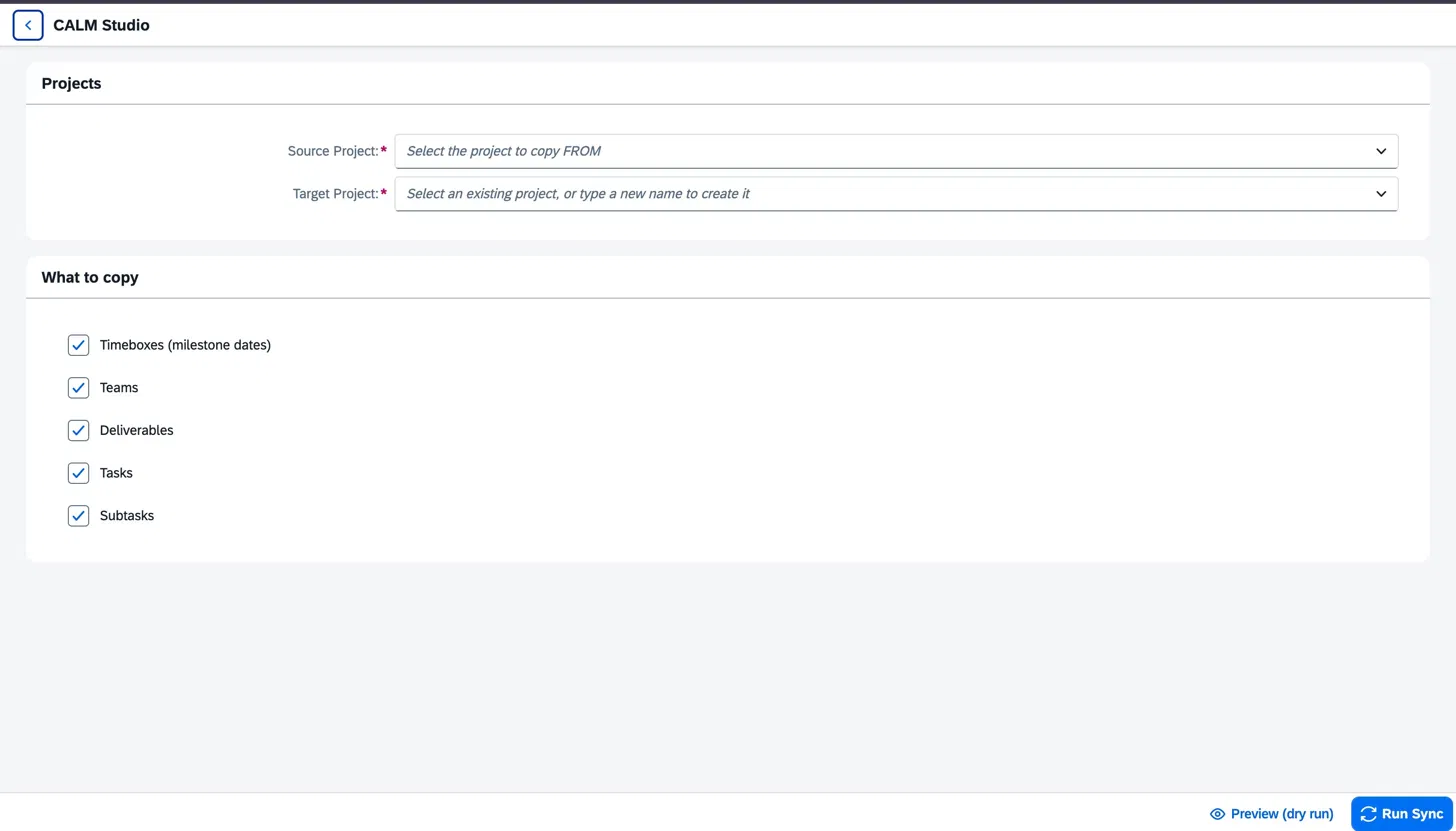
Choose what to copy
Pick the source, the target, and the scope.
Select the source project and either pick an existing target or type a new project name to create it. Then tick exactly what to include: timeboxes, teams, deliverables, tasks, and subtasks. Solution-process scopes carry the methodology forward when included.
03
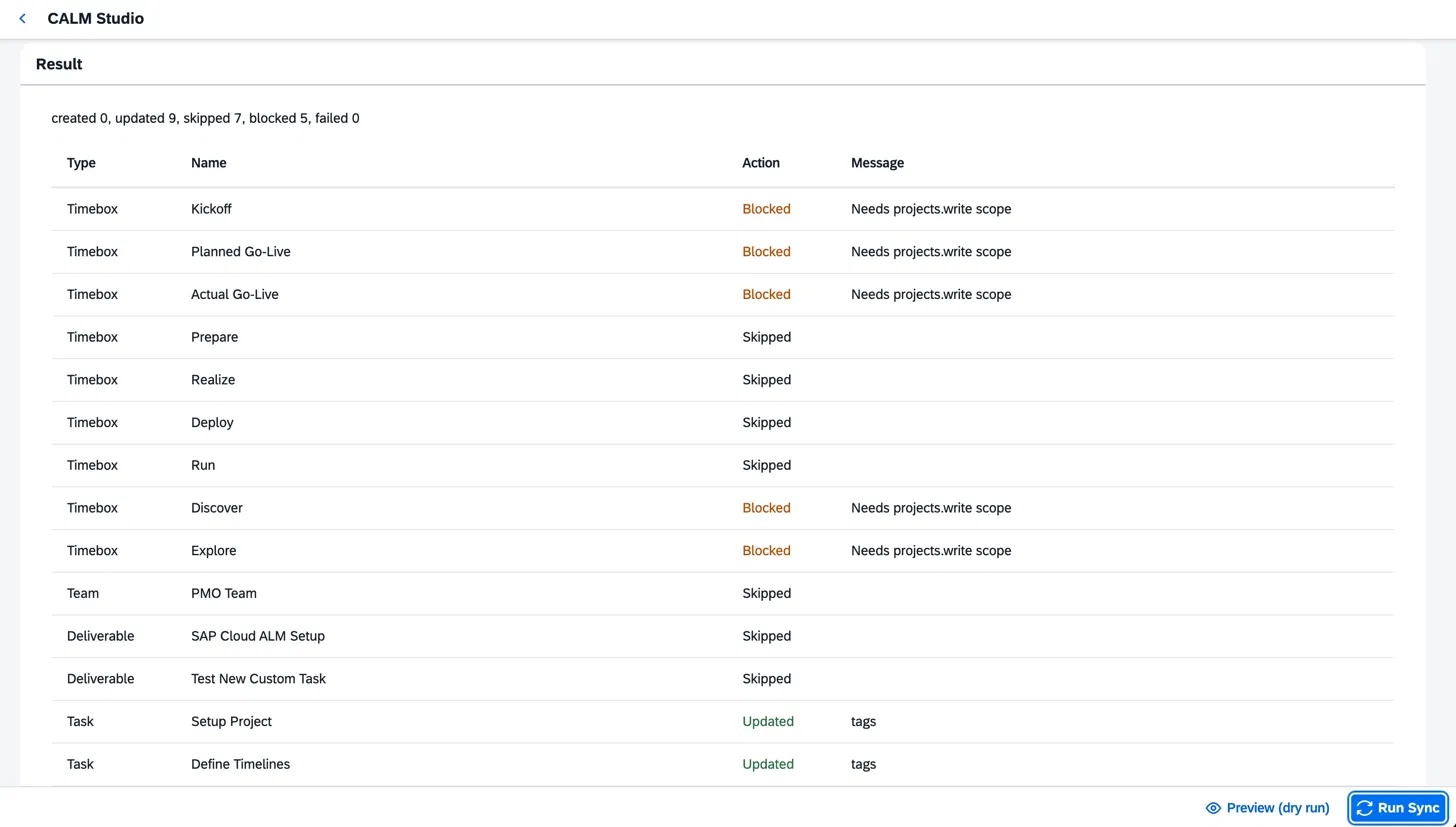
Preview, then sync
Dry-run every change before it ships.
Run a preview to see every item the sync will touch — created, updated, skipped, blocked, or failed — with the reason for each. When the preview matches what you expected, run the sync and review the final log.
Architecture
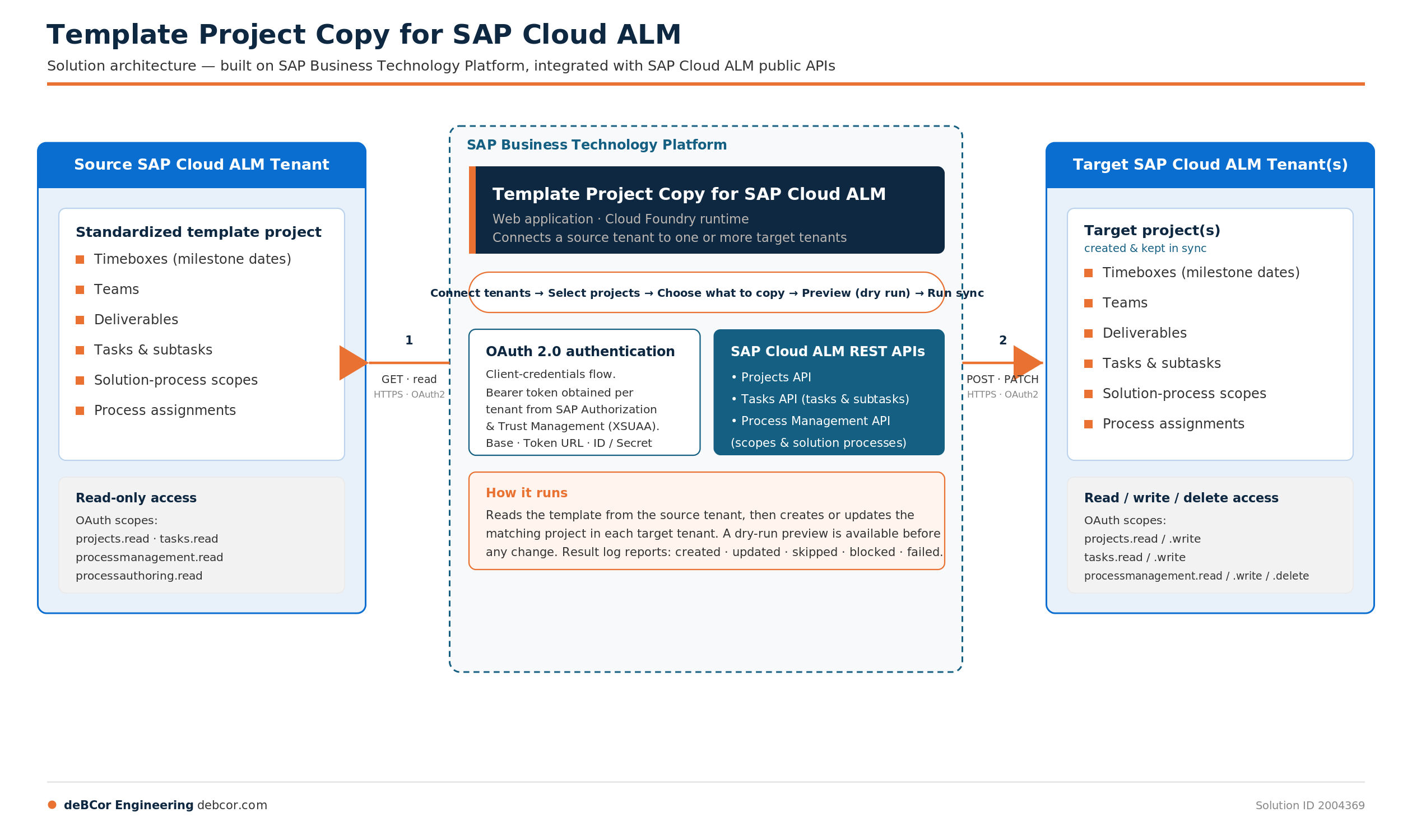
Source tenant → BTP runtime → target tenant(s).
A SAP BTP web application (Cloud Foundry runtime) authenticates per tenant via OAuth 2.0, reads the full template from the source through the SAP Cloud ALM public APIs, then creates or updates the matching project in each target tenant. A dry-run preview is available before any change.
Technical Information
Everything an SAP team needs to evaluate.
Solution Type
Extensions and Add-ons
Category
Application Lifecycle Management
Industry
Cross-Industry — every sector running SAP Cloud ALM
Works With
SAP Cloud ALM (source and target tenants)
Runtime
SAP Business Technology Platform — Cloud Foundry web application
APIs used
SAP Cloud ALM Projects API · Tasks API · Process Management API — the official public surface
Who it's for
Partners running repeatable implementations. Enterprises keeping tenants aligned.
SAP partners & SIs
Delivering repeatable, standardized implementations across clients — your methodology, your templates, deployed consistently in every tenant.
Enterprises with multiple tenants
Keeping multiple SAP Cloud ALM tenants aligned to one methodology — without manual rebuilding every time the template evolves.
Resources
Take it back to the team.
Solution Brief
One-page overview of the product, its capabilities, and the integration model. Built for the CFO or program sponsor.
Download →PDF DownloadProduct Walkthrough
Step-by-step walkthrough of the Connect → Choose → Preview → Sync flow, with screenshots and tenant configuration notes.
Download →Ready to standardize your SAP Cloud ALM rollouts?
Tell us how many tenants you run and what your template looks like. We'll scope the install, run a working session against a sandbox tenant, and quote the engagement.
Solution ID 2004369 · Also coming to the SAP Store